
Introduction:
If you’ve ever clicked on a website that was slow, jumped around while loading, or didn’t respond when you tapped something – you know how frustrating it feels. Google hates that experience too. So, to make the web better for everyone, Google updated its search ranking system to include what it calls Core Web Vitals.
With Google’s latest core algorithm update, websites that fail to meet Core Web Vitals standards are seeing ranking drops, while fast, stable, and responsive pages are gaining visibility. This update signals a stronger alignment between technical SEO, usability, and search performance.
In this article, we’ll break down what changed, how Core Web Vitals influence rankings, and what you should do to optimize your site effectively – without falling into common on-page SEO traps.
These are simple measurements of how real users experience your website. And yes – they can affect where your website appears in Google search results.
Core Web Vitals are three key things Google looks at to judge how good a website feels for users:
1. Largest Contentful Paint (LCP) – Loading Performance
LCP measures how quickly the main content of a page loads. It can be assumed as how long does the big picture or the main text takes to appear. Ideally, the largest visible element (such as a hero image or headline) should load within 2.5 seconds.
2. INP – Interaction to Next Paint
INP evaluates and measures how fast a page of your website responds to user interactions like clicks, taps, or form inputs. If someone taps a button, does it respond quickly or lag? A good INP ensures the page feels smooth and responsive, even on mobile devices. Goal for a good experience is under 200 milliseconds.
3. CLS – Cumulative Layout Shift
This measures how stable the page layout is while it loads. If the page moves around while loading – buttons shift, text jumps that’s bad. Pages where buttons or text shift while loading, create poor user experiences and higher frustration. To provide a good user experience, sites should strive to have a CLS score of 0.1 or less.
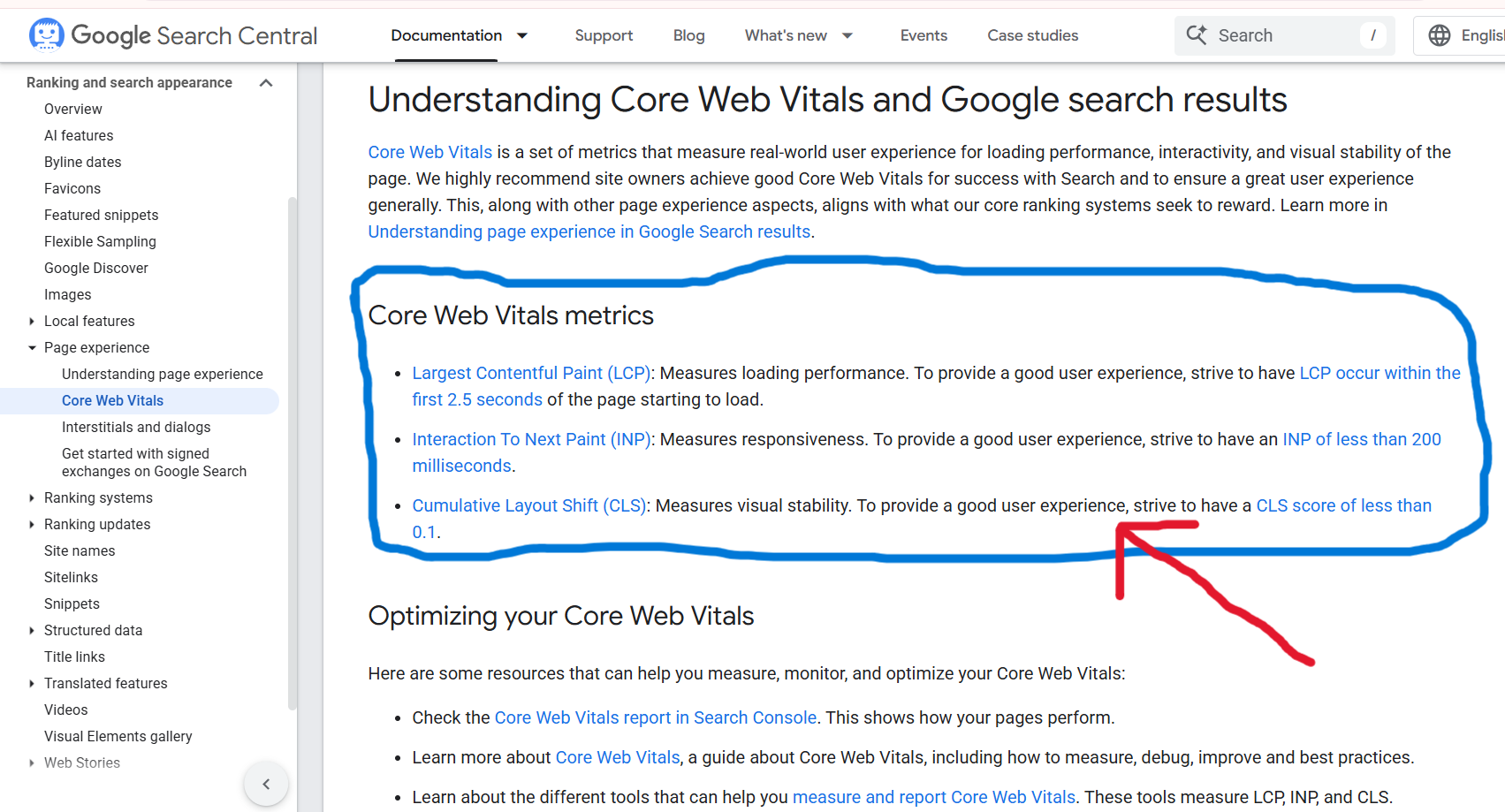
Image Source: Developers Google Page
Together, these metrics help Google determine whether a page is not just relevant – but also usable and enjoyable.
How These Metrics Affect Ranking?
Here’s the most important truth:
Core Web Vitals can help your site rank higher – but only when content and relevance are already strong. Google’s main job is to show the best answers to people. So things like great content, keywords, relevance, and backlinks still matter most. But when two pages are about the same topic and equally helpful, the page that feels faster and smoother for users gets the edge.
In simple terms:
If your competitor’s page and your page both answer the user’s question well but your page loads faster and feels better. Google is more likely to show your page higher.
Why Core Web Vitals Help or Hurt Search Positions?
Think of it like this:
- A fast, smooth site keeps people engaged.
- A slow, jumpy site pushes people away.
Google watches these patterns. If real users consistently leave a page quickly because it’s slow or unstable, Google interprets that as “not good.” Even if that wasn’t the intent.
So the metrics matter for two big reasons:
Directly – Google uses them in ranking decisions.
Indirectly – Better experiences mean happier users and more engagement, which in turn improves SEO.
Real Examples (Simple Scenarios)
🛒 E-Commerce Store
What was happening before?
A product page takes 5 seconds to show images and buttons. During this delay, the page felt slow and confusing. Many customers leave before adding to cart.
Why is this a problem?
Most people don’t like waiting. If a page feels slow or broken, they leave without buying anything.
After optimizing it, product page loads in 2 seconds and buttons respond quickly.
What was fixed?
-
Images were optimized to load faster
-
Buttons responded instantly
-
Page layout stayed stable (no sudden movement)
Result:
Customers stay longer, browse more product, and more likely to shop more. Now, Google favors the improved page and rankings improve.
📰 News Website
What was happening before?
When readers opened an articles, it have big ads that load late and suddenly pushed the text down (layout shift). This caused the content to jump while reading. Readers get annoyed and leave.
Why is this annoying?
Readers lose focus, click wrong links, or feel frustrated and leave the site quickly.
What was fixed?
-
Space for ads was reserved in advance
-
Main text loaded first
-
Page stopped shifting while loading
After fixing:
The article stays steady, and readers can read without interruption for longer time. Google rewards the site with better visibility in search results.
Finally what this means for you?
You don’t need to be an engineer to understand what needs to be improved. Think in terms of user experience:
- Speed up the Page.
- Load main content first.
- Use optimized images.
- Avoid too many scripts slowing things down.
- Make Interactions Quick.
- Buttons should respond instantly.
- Forms and menus should feel smooth.
- Avoid Layout Jumping.
- Reserve space for images, ads, and interactive elements so they don’t shift unexpectedly.
How it’s measured ?
Instead of just testing with tools, Google uses real user experiences across millions of visits over time. They take the typical performance (not perfect or worst case) and decide:
- Does the page load fast most of the time?
- Is it responsive when clicked?
- Does content stay stable while loading?
Why Google’s Latest Update Made Core Web Vitals More Important?
Google’s recent algorithm update strengthened the connection between content quality and page experience. While great content remains essential, Google now expects that content to be delivered efficiently.
Key reasons Core Web Vitals now matter more:
-
Faster pages reduce bounce rates and increase engagement
-
Stable layouts prevent accidental clicks and user frustration
-
Responsive interactions improve trust and conversion rates
-
Mobile-first indexing magnifies performance issues on slower devices
In competitive niches, Core Web Vitals often act as the tie-breaker between pages with similar relevance.
Even though Core Web Vitals are now part of search rankings, fixing only these won’t magically put you on page one.
But if your content is excellent and your site feels great to users, you:
- Help users stick around longer
- Improve conversions (signups, sales, leads)
- Gain an advantage over competitors with slower sites
Good Core Web Vitals are like well-oiled gears in a machine, they help everything run smoothly.
You may also read our another article by clicking on this link: Local SEO Ranking Factors
Conclusion:
Google’s latest algorithm update reinforces a fundamental truth: great SEO starts with great user experience. Core Web Vitals are no longer optional optimizations – they are essential performance benchmarks that directly affect rankings, engagement, and conversions.
Finally, it can be said that:
- Core Web Vitals are part of Google’s ranking system
- They measure user experience, not just webpage code
- They help when content is already relevant and strong
- Better user experience = better engagement = higher SEO performance.