
Introduction
You’ve optimized every single element of your website. Your content reads beautifully, your technical SEO passes every audit with flying colors, and Google Search Console confirms your pages are indexed. Yet your rankings keep dropping, and you can’t figure out why.
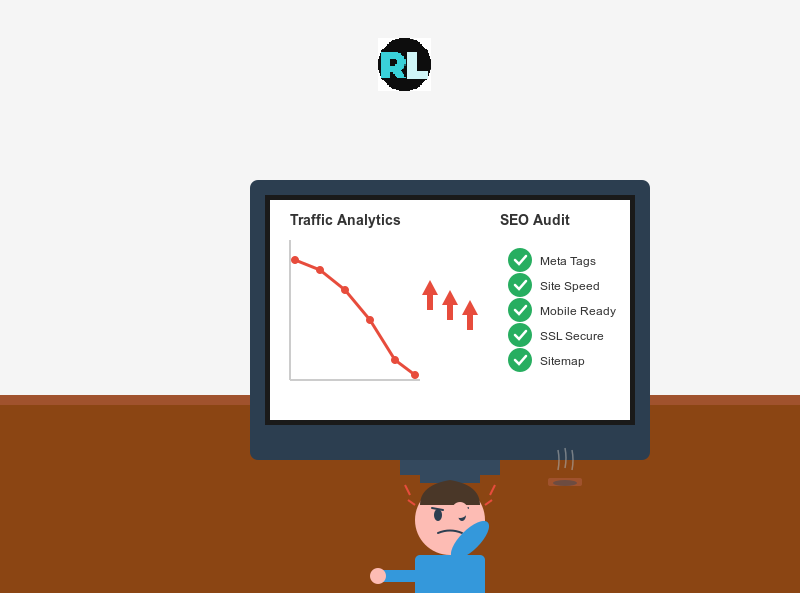
Sound familiar? You’re not losing your mind. You might be experiencing one of the most hidden yet destructive SEO problems affecting modern websites today: the JavaScript Loading Gap.
This problem is particularly frustrating because traditional SEO tools can’t detect it. Your SEO expert runs their crawler and tells you everything looks perfect. Meanwhile, your traffic continues to decline. What you’re experiencing is a disconnect between what search engines initially see and what actually exists on your page after JavaScript takes over.
Let us understand this in the simplest way possible through this article and know exactly how to fix it.
Understanding the Loading Process
Think of your website like instant coffee. When you make instant coffee, you first add the coffee powder to your cup (this is your initial HTML that the server sends). At this point, you technically have coffee in your cup, but it’s not drinkable yet. Then you add hot water, which transforms that powder into actual liquid coffee you can drink (this is JavaScript making your page interactive and bringing it to life).
Modern websites built with React, Next.js, or similar frameworks work exactly this way. The server first sends a complete snapshot of your page with all the text, images, and structure already visible. Then JavaScript “activates” this static snapshot by adding interactivity like clickable buttons, dropdown menus, and dynamic features. This two-step process happens so fast that most people never notice it.
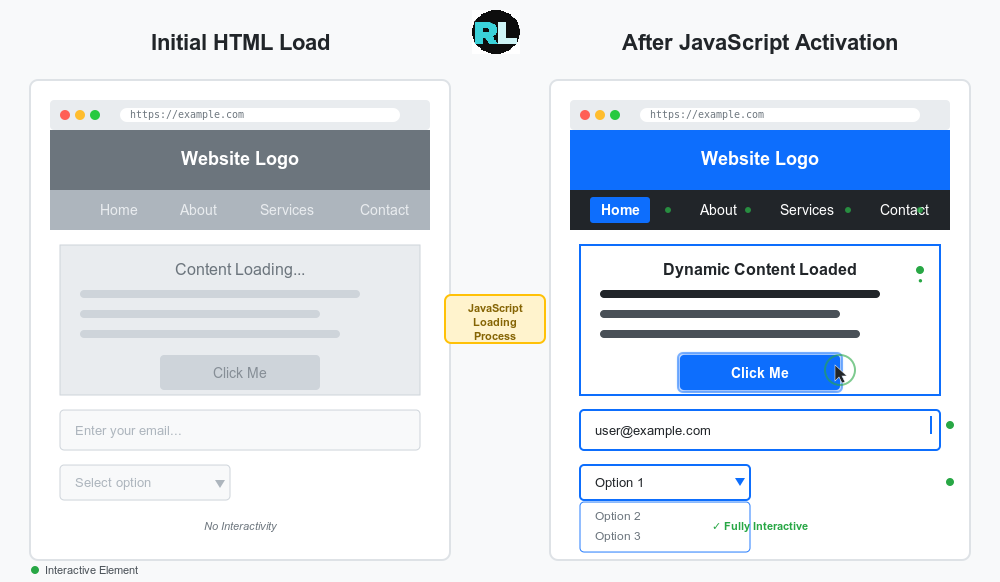
The problem occurs during that brief transition moment between the static snapshot and the fully interactive page. This is the loading gap, and it’s where your SEO can fall apart.
Why This Destroys Your Rankings?
During this loading process, some very strange things happen behind the scenes. Your content might temporarily disappear and reappear. Sections of your page might shift positions. Important SEO elements like headings could change structure.
Imagine Google’s crawler visiting your site right at that exact moment when everything is in flux. What does Google see? A jumbled, inconsistent version of your page that looks nothing like what you intended.
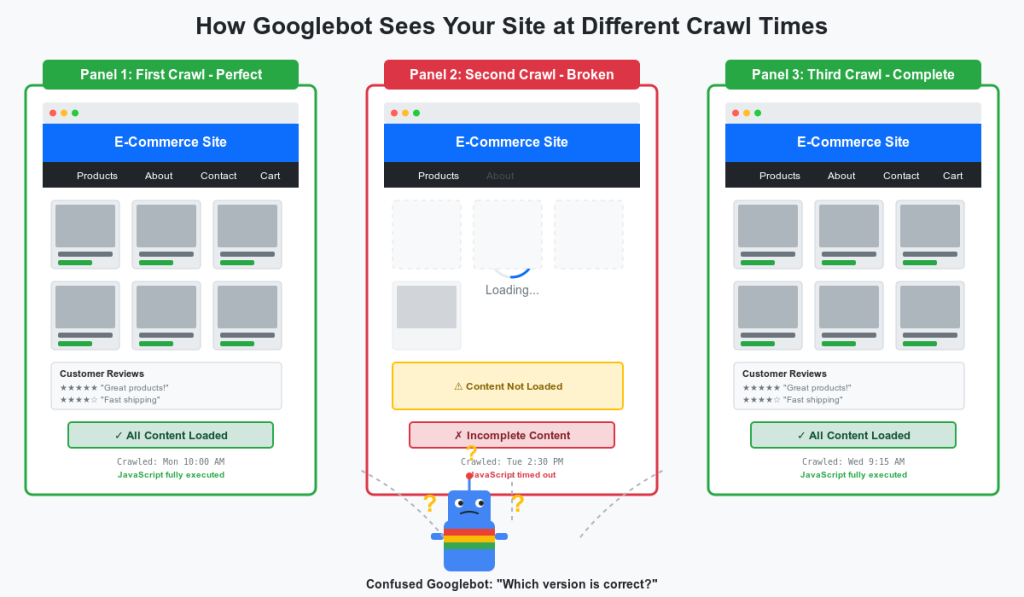
Here’s what makes this truly devastating. Google doesn’t just crawl your page once. It crawls repeatedly, sometimes catching your page at different stages. One day Google might see Version A with all your content perfectly structured.
The next day, it catches your page mid-loading and sees Version B with missing headings and shifted content. On the third crawl, it sees the fully loaded Version C. Google gets confused about which version represents your real page, leading to indexing problems and ranking drops.
Beyond confusing Google, the loading process often causes layout shifts that frustrate real users. You know that annoying experience when you’re about to click a button but the entire page suddenly jumps and you accidentally tap something else? That’s layout shift caused by poor JavaScript implementation. Google measures this through Core Web Vitals and penalizes sites that create frustrating user experiences.
Case Study: The E-commerce Store That Lost 35% Traffic Overnight
The Problem: Perfect SEO Scores, Drop in Rankings
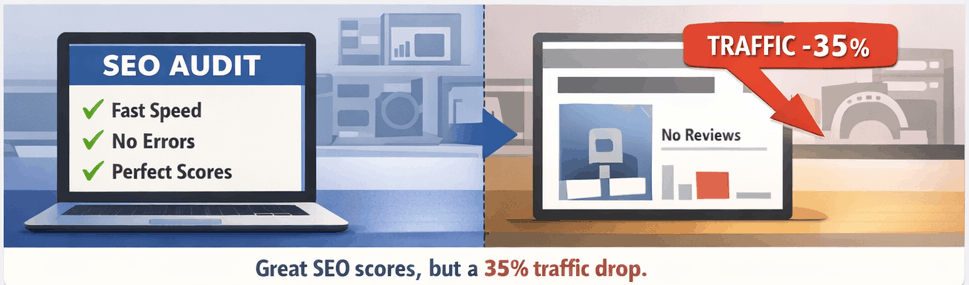
An online electronics store located in Nepal invested heavily in rebuilding their website using modern React technology. Their goal was faster loading speeds and a better user experience. Within just two months of launch, their organic traffic dropped by thirty-five percent. The marketing team panicked and ran every SEO audit tool available.
The results?
All green checkmarks. Perfect technical scores. No broken links. Fast page speeds. Everything looked flawless.
The Hidden Culprit: Disappearing Content During Loading
After a detailed investigation, we discovered the real problem hiding in plain sight. Their product pages were programmed to show complete specifications and customer reviews in the initial HTML that Google’s crawler would see. However, during the JavaScript loading process, something strange happened. For approximately one and a half seconds, the entire customer reviews section completely vanished from the page before reappearing fully loaded.
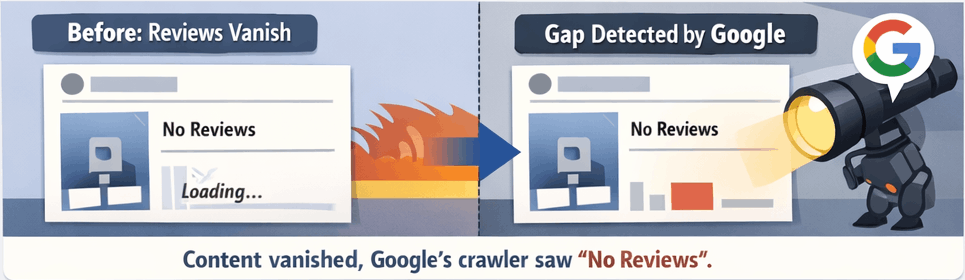
This brief disappearance created two critical problems:
First, Google’s crawler sometimes visited the page during that one and a half second gap. When this happened, Google indexed product pages as if they had zero customer reviews, creating massive inconsistency in how their pages appeared in search results.
Second, when the reviews section reloaded and reappeared, it pushed the main product image downward by seventy pixels, creating significant layout shift that destroyed their Core Web Vitals score.
The Solution: Maintaining Content Stability
The fix required two simple but crucial changes.
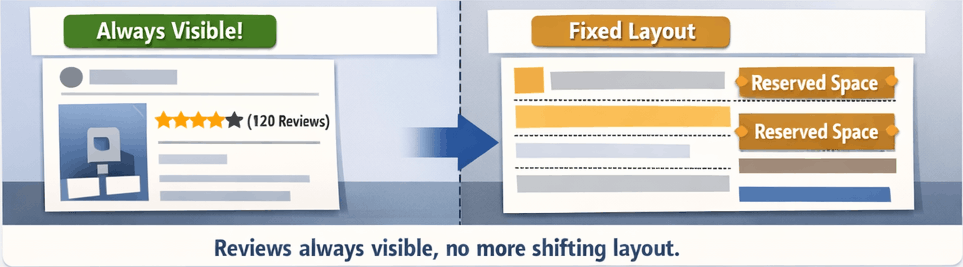
First, the development team restructured the code to keep review content visible in the page structure throughout the entire loading process. The reviews would appear initially in a basic format, then become fully interactive with sorting and filtering options once JavaScript finished loading. They never disappeared.
Second, they reserved proper vertical space for every element before it loaded. CSS was used to define exact heights for the review section, product images, and other dynamic elements. This ensured that when JavaScript activated these elements, nothing shifted position on the page.
The Results: Full Recovery and Beyond
Within five weeks of implementing these fixes, organic traffic not only recovered to previous levels but exceeded them by twelve percent.
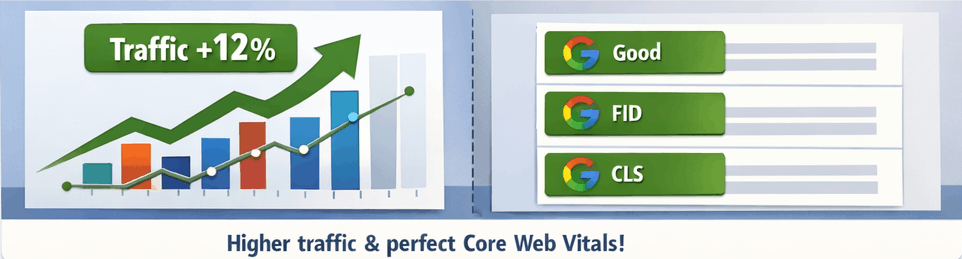
Their Core Web Vitals scores improved dramatically, moving from the “needs improvement” category to “good” across all metrics. More importantly, Google began consistently indexing their product pages with review content, significantly improving their click-through rates from search results.
You may also read this article for more information on Core Web Vitals Impact: Click here
How to Detect This Problem on Your Site?
You can diagnose loading gap issues yourself with these simple tests.
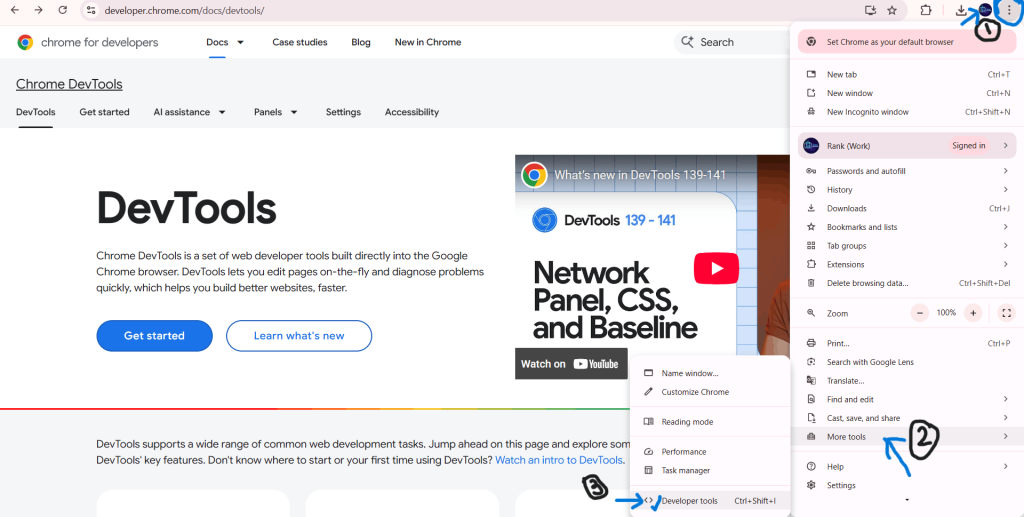
First, open your website in Chrome and watch it load very carefully with your internet slowed down (use Chrome DevTools, click the three dots, go to More Tools, then Developer Tools, click the Network tab, and change throttling to “Slow 3G”).
Refer the below image.
Pay close attention to any content that flickers, disappears momentarily, or jumps around.
This reveals your loading gap.
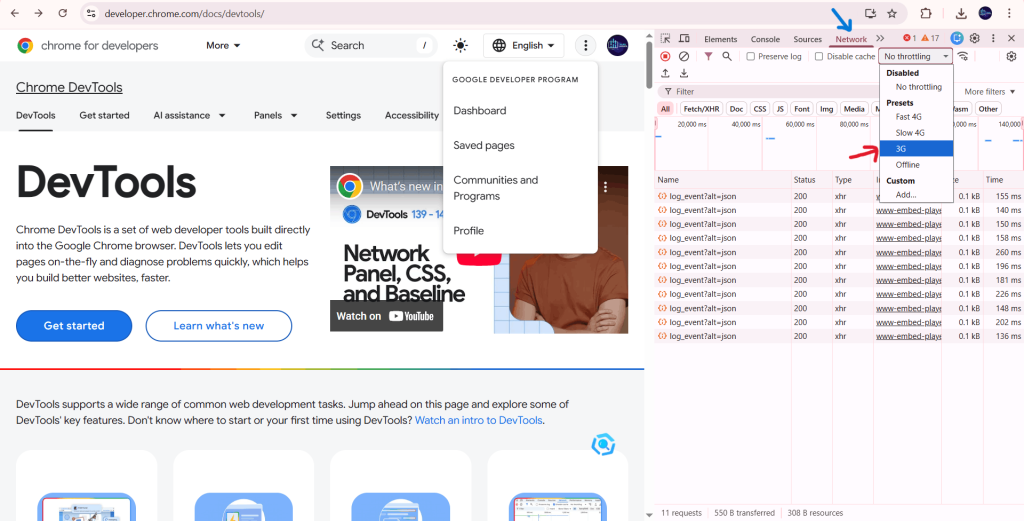
Click the link for more details. Chrome DevTools – Network Throttling
The Fix: Making JavaScript Loading SEO-Friendly
Solving loading gap problems requires ensuring your critical content remains stable throughout the entire loading process. Your main headings, important keywords, product descriptions, and primary navigation should never disappear or move significantly during the JavaScript activation. They can become interactive and enhanced, but the core content must stay visible and in the same position.
Work with your developer to implement what’s called progressive loading. Instead of activating your entire page simultaneously, you activate it in strategic sections. Load and activate your main content area first while keeping it stable, then activate less critical sections like sidebars and footers afterward. This approach minimizes the chances of Google catching your page in an unstable state because your most important content is always ready.
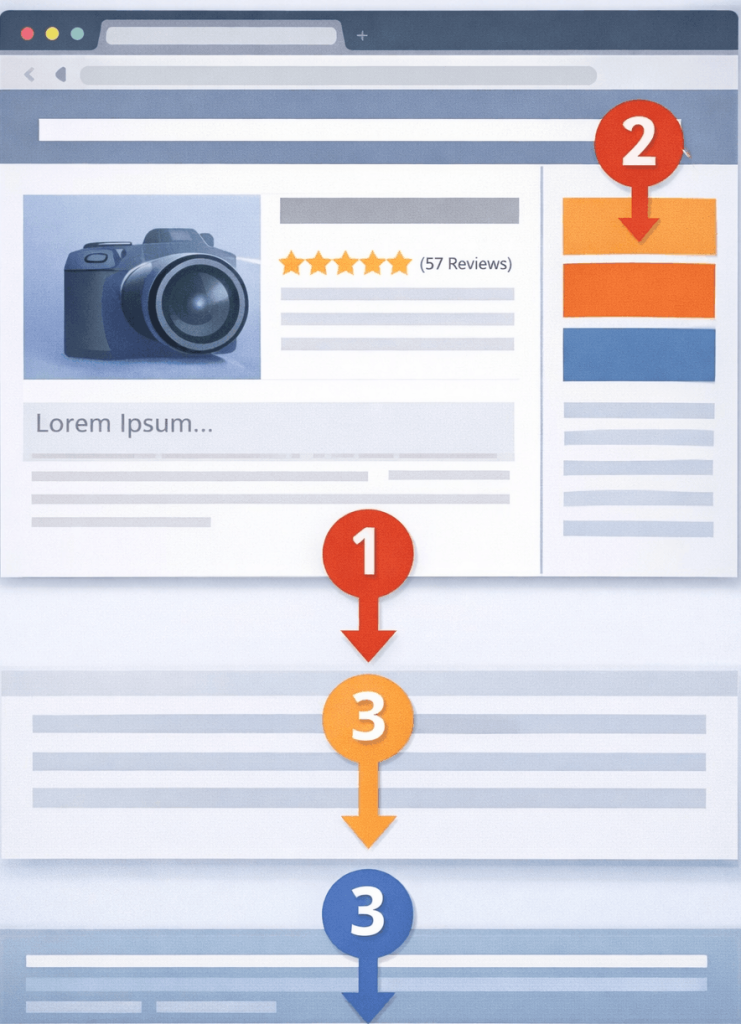
Implement proper skeleton screens that maintain your exact HTML structure while content loads. Instead of showing blank spaces or spinning loaders, use placeholders that preserve your semantic markup. If your final heading will be an H1 tag, your skeleton should also contain an H1 tag with placeholder text, not just a gray rectangle. This ensures that even if Google crawls during loading, it still sees proper HTML structure.
Reserve space for every element before it loads. If you know an image will be three hundred pixels tall, set that height in your initial HTML so when the image appears, nothing shifts position. Use CSS to maintain proper spacing throughout the loading process. Avoid adding new elements during JavaScript activation that push existing content down the page.
Implementation Strategy
Start by identifying your ten most important landing pages that drive organic traffic. Focus your fixing efforts here first for maximum impact. Document current issues by taking screenshots of any flickering, shifting, or structural inconsistencies you find during your diagnostic tests.
Meet with your development team and explain how the JavaScript loading process affects SEO. Most developers focus on functionality and aren’t aware of these SEO implications. Show them your findings and create a prioritized action plan together. Begin with quick wins like ensuring critical content stays static and fixing obvious layout shifts. These often require minimal code changes but deliver immediate improvements.
For larger structural changes like implementing progressive loading, allocate four to six weeks for proper implementation and testing. Make changes in a staging environment first and test thoroughly across different devices and network speeds before deploying to production. Loading issues often become more severe on mobile devices with slower connections, so always test mobile performance.
After implementing fixes, monitor your Core Web Vitals, rankings, and traffic closely. You should see improvements within four to six weeks as Google recrawls and reindexes your updated pages. Continue monitoring for at least three months to measure the full impact of your changes.
Common Mistakes to Avoid
Never hide content with CSS during the loading process and then show it afterward. While this might create smoother visuals, search engines might not properly index hidden content. Keep your content visible in the page structure throughout the entire process, even if you style it differently during loading.
Avoid making significant content changes between server render and the JavaScript-activated state. If your server sends one version of your product description and JavaScript replaces it with something substantially different after loading, Google might interpret this as cloaking, even if that wasn’t your intention. Maintain consistency in your core information.
Don’t test only on high-end desktop computers. Loading problems often manifest worse on mobile devices and slower connections. Test on actual phones and tablets with realistic network conditions to catch issues before your users and Google’s mobile crawler experience them.
FAQ’S
1. Does this affect WordPress sites?
Traditional WordPress sites using standard PHP templates don’t experience loading gap issues. However, if you’re using headless WordPress, a JavaScript-heavy theme, or modern page builders that rely on frameworks like React, you could encounter these problems.
2. How long does it take to see ranking improvements after fixing loading issues?
Most sites see initial improvements within four to six weeks after implementing fixes, as Google needs time to recrawl and reindex your pages. Full recovery typically takes two to three months depending on your crawl frequency and the severity of the original issues.
3. Can I fix this without a developer?
Some simple fixes like optimizing images to prevent layout shift can be done without coding knowledge. However, implementing proper progressive loading and fixing structural issues requires developer expertise with your specific JavaScript framework.
4. Will fixing loading issues improve my site speed?
Yes, typically. Optimizing the JavaScript loading process often improves overall performance because you’re reducing JavaScript execution time and eliminating unnecessary rerendering. Better loading implementation usually correlates with better Core Web Vitals scores across the board.
Conclusion
The JavaScript Loading Gap is an invisible SEO killer that traditional tools can’t detect. It happens when search engines see different versions of your page during the loading process, causing ranking drops despite perfect optimization.
The fix is straightforward:
Keep your critical content stable while JavaScript loads, implement progressive loading for different page sections, and monitor your Core Web Vitals regularly. These changes benefit both search engines and real users by eliminating flickering content and layout shifts.
Identify your loading gaps, prioritize your most important pages, and implement fixes systematically. Your perfectly optimized content deserves to be seen exactly as you intended, not lost in the loading gap.
Reference Links:
Google Search Central – JavaScript SEO